

Planning a Presidential Teleprompter Setup for a Los Angeles Event
What does a presidential teleprompter setup require? Use this Los Angeles event-planning guide for staging, rehearsal, scripts and speaker support.

Presidential teleprompters can make a keynote feel direct and conversational, but the smoothest setups are planned as part of the stage—not added at the last minute.
Why speakers use presidential teleprompters
A presidential teleprompter allows a speaker to look across the room while keeping prepared remarks in view. Two transparent glass panels are positioned on either side of the speaking area, giving the presenter natural opportunities to shift their attention between sections of the audience.
The result can feel more personal than reading from notes at a lectern. It is a strong choice for executive keynotes, nonprofit galas, awards programs, press events, commencements and other moments when the exact language matters but the delivery still needs to feel human.
Treat the prompters as part of the stage design
The ideal placement depends on the lectern or speaking mark, the stage width and depth, room layout, lighting, scenic elements and camera positions. The glass needs to be comfortable for the speaker while remaining unobtrusive to the audience.
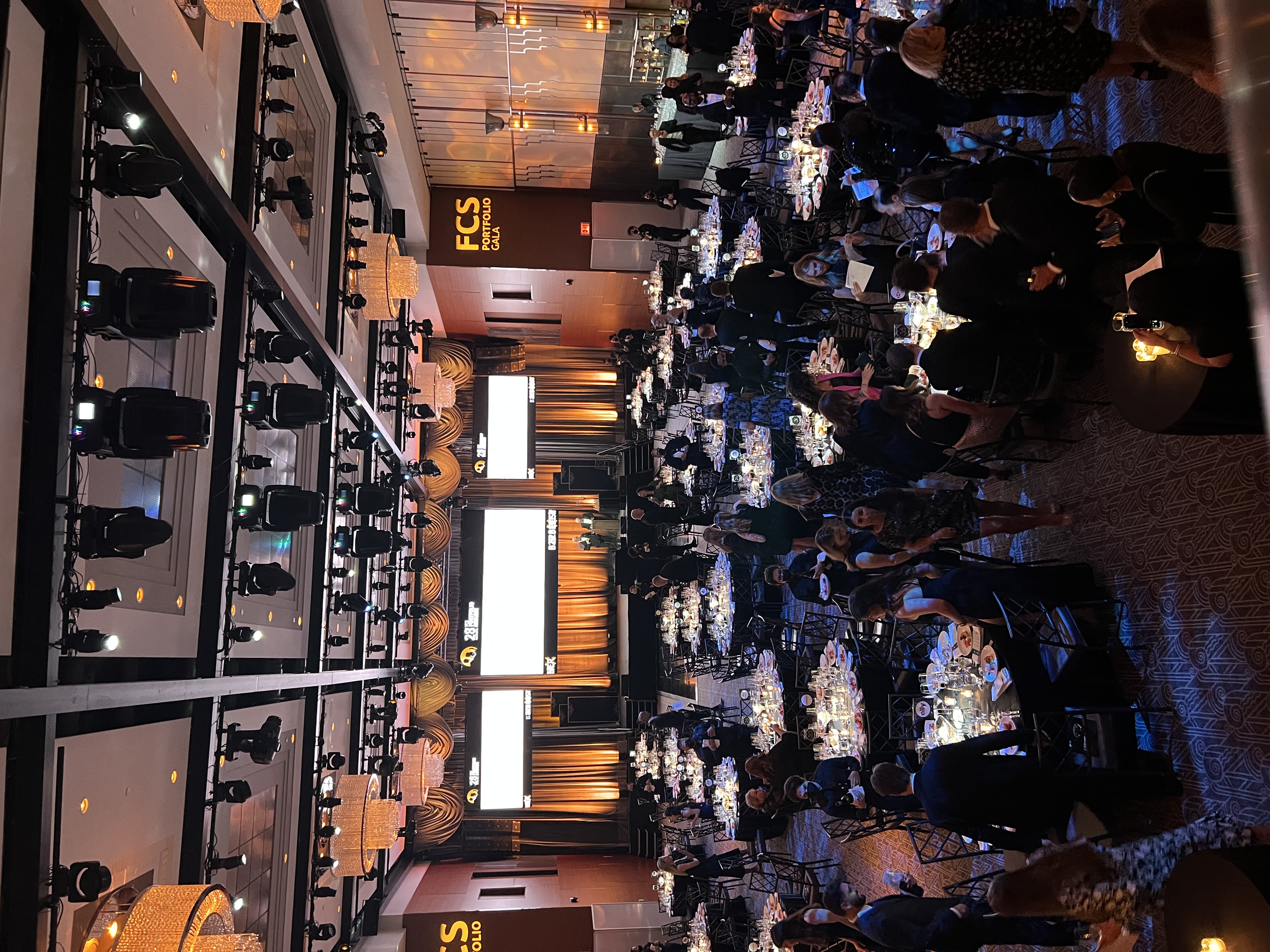
In a ballroom or conference venue, the stage may already include confidence monitors, microphones, lighting positions, floral arrangements and scenic pieces. Each item competes for space and sightlines. Sharing a floor plan, stage rendering or recent venue photographs allows the teleprompter team to coordinate before arriving on site.
For outdoor events, additional conditions may affect visibility and stability. Discuss the environment early so the equipment plan reflects the actual site rather than a generic ballroom setup.
Protect enough time for load-in and alignment
A presidential system needs time to be assembled, positioned, cabled and checked. The operator also needs to coordinate with the audio, video, lighting and stage teams. If the equipment must travel through a loading dock, service elevator or secured entrance, include that access time in the schedule.
The best call time is based on the complete event schedule, not only the moment the audience arrives. Let the teleprompter provider know when the stage will be accessible, when the lectern will be placed, when cameras will be ready and when the speaker is expected to rehearse. A technically complete setup is only part of the job; it should also be ready when the speaker needs it.
Rehearsal is where confidence is built
Even a short rehearsal can materially improve the speaker's comfort. It gives the operator a chance to confirm font size, line spacing and pace. It also allows the presenter to practice moving their attention between the two glass panels without visibly chasing the text.
New teleprompter users often assume they need to read at a set speed. In practice, the operator follows the speaker. The presenter can pause, emphasize a phrase, respond to the audience or take a breath. A skilled operator tracks those choices and keeps the next words available.
If the principal speaker cannot attend a full rehearsal, reserve a few quiet minutes before the program. That brief introduction can make the first moments on stage feel much more settled.
Build a clear script workflow
Live-event scripts change. Names are corrected, remarks are shortened and late approvals arrive. The important thing is to create one clear path for updates.
Designate a single person to send approved revisions and identify the current master file. Use descriptive filenames or version numbers, and avoid having several stakeholders send conflicting copies directly to the operator. If changes arrive during rehearsal, call them out clearly so the operator can update the correct section.
Formatting also matters. Stage directions, video cues and pronunciation notes should be distinguishable from spoken copy. The operator can help prepare the file for prompting, but clean source material reduces uncertainty when the show is moving quickly.
Decide what level of redundancy the event needs
High-visibility events deserve a conversation about backup strategy. The appropriate level of redundancy depends on the program, venue infrastructure and consequences of interruption. At minimum, the teleprompter team should understand the signal path, power plan and available alternatives if the stage configuration changes.
Ask who is providing displays, cabling and distribution, and confirm how the prompting system will integrate with the venue's equipment. Clear ownership prevents gaps between the teleprompter, video and production teams.
A quick planning checklist
Before requesting a quote, gather the event date and address, venue access window, stage dimensions, lectern details, audience size, camera positions, show and rehearsal times, speaker count, script status and on-site production contact. If the event has security or credentialing requirements, include those as well.
You do not need every answer before reaching out. Early contact can help the production team identify which unknowns matter and hold the right equipment and operator while plans are still developing.
Bring Prompster into the conversation early
Prompster provides presidential teleprompter systems and experienced operators for events throughout Los Angeles. We work with producers, venues and speakers to make the setup feel integrated, calm and speaker-first.
Planning an upcoming keynote or live event? Send us the date, venue, show schedule and any stage information you already have. We will help you build the right prompting plan.
Contact Prompster for a Los Angeles teleprompter quote
Related Posts

subscribe to Prompster
Subscribe for Prompster news, production insights and updates.